

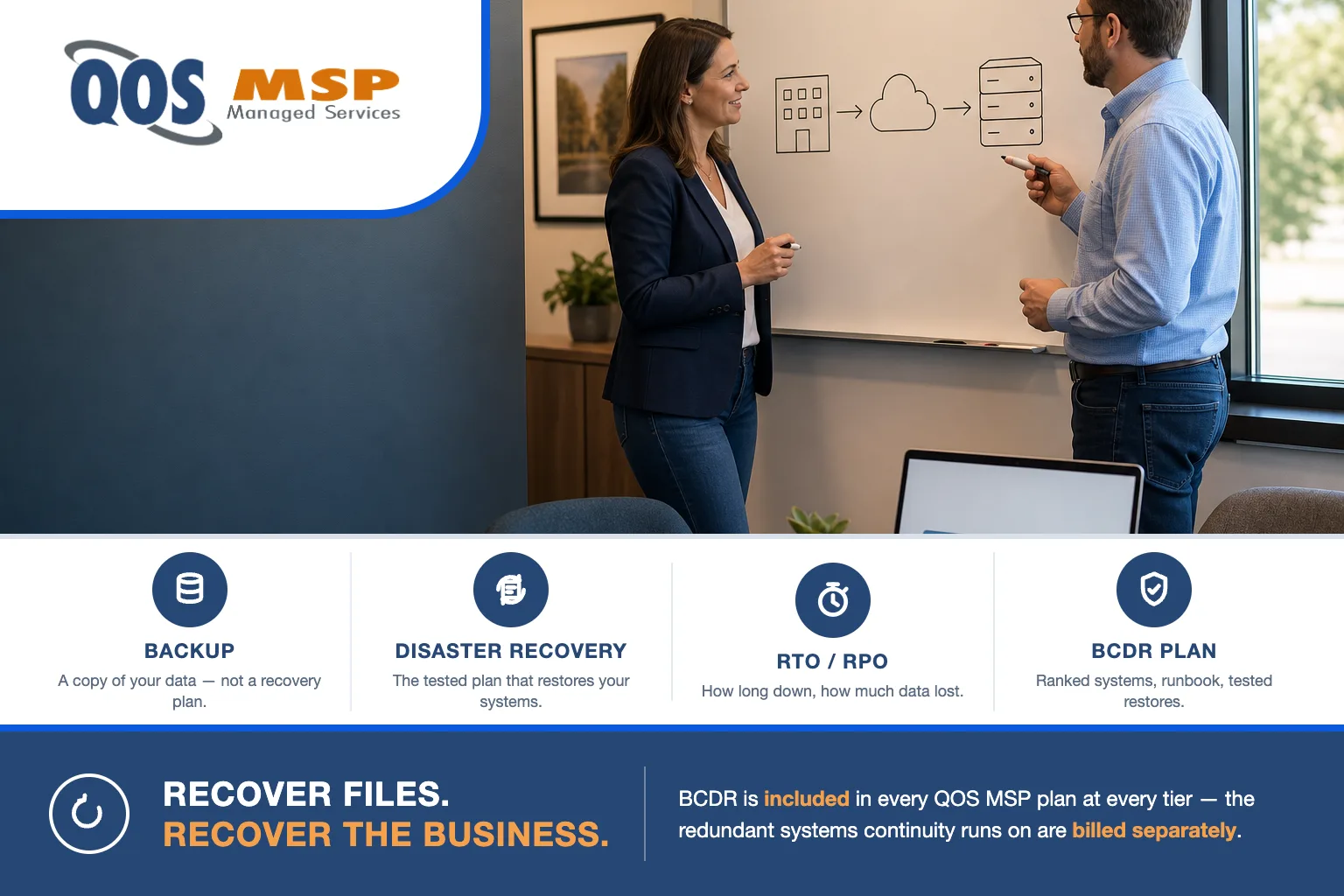
Backup vs disaster recovery vs business continuity comes down to this: backup is a copy of your data, disaster recovery is the tested plan that restores your systems after a failure, and business continuity keeps the business operating while that recovery happens. A small business needs all three — a backup alone recovers files, not a company.
Why “we have backups” isn’t a plan
“We have backups” is the most common answer we hear, and it’s rarely a plan. A backup running to the cloud tells you a copy exists. It does not tell you how long it takes to turn that copy back into a working office, how much recent work you’d lose, or whether the restore even succeeds. Those unknowns are exactly where small businesses get hurt.
The stakes are not theoretical. FEMA estimates roughly 40% of small businesses never reopen after a disaster, and a Nationwide survey found about 75% of small businesses have no disaster recovery plan at all. The gap between “we back up” and “we can recover” is where those closures happen.
A real plan has to survive four failure modes, not just one:
- Hardware failure — a server, NAS, or drive array dies and takes live data with it.
- Human error — someone deletes the wrong folder or overwrites a database, often the most frequent cause of all.
- Ransomware — attackers encrypt your systems and hunt for the backups first. See how these attacks now start with a phone call in Microsoft Teams vishing and ransomware, and if you’re already hit, follow what to do after a ransomware attack.
- Site loss — fire, flood, or an extended power outage takes the whole location. In the Midwest, a spring derecho or an ice storm that keeps an Indiana office dark for days is a routine version of this, not a worst case.
A file-copy backup addresses one of these. A plan addresses all four — and tightening your defenses across them starts with the basics in our small business cybersecurity checklist.
What’s the difference between backup vs disaster recovery vs business continuity?
They stack. Each layer answers a different question, and each one alone leaves a gap the next one fills. QOS MSP frames the top two together as BCDR — Business Continuity AND Disaster Recovery — because in practice you plan them as one.
| Layer | What it is | The question it answers | What it alone can’t do | In a QOS MSP plan |
|---|---|---|---|---|
| Backup | A stored copy of your data, taken on a schedule | “Can I get this file back?” | Rebuild a working system or bring users back online | Designing, configuring, monitoring, and testing backups is included; the backup storage itself is billed separately |
| Disaster Recovery | The tested procedure that restores systems from those backups to an agreed RTO/RPO | “How fast can we be running again?” | Keep you operating during the outage, or replace lost infrastructure | Designing, running, and testing DR is included; standby capacity and replication targets are billed separately |
| Business Continuity | Keeping the business operating — people, comms, failover systems — while recovery happens | “Can we keep working while IT recovers?” | Function without the redundant systems it runs on | The continuity approach and its administration are included; the second site or standby cloud capacity are billed separately |
Read the last column carefully, because it’s where buyers get surprised. The BCDR service is included at every tier; the systems that make continuity possible are not. More on that split below.
What are RTO and RPO — and why they decide everything
Two numbers drive every recovery decision and every dollar of its cost:
- RTO (Recovery Time Objective) — how long you can be down. The maximum downtime the business can absorb before it hurts.
- RPO (Recovery Point Objective) — how much data you can afford to lose. Measured as the time since your last good backup.
The two are set per system, and their ambition is what sets the price. Consider two targets for the same server:
- RPO 24 hours / RTO 3 days — a nightly backup and a rebuild-from-image restore. Modest infrastructure, modest cost.
- RPO 15 minutes / RTO 1 hour — continuous replication to warm standby systems that can take over almost immediately. This can cost roughly 10x the first option.
The difference isn’t the plan — it’s the hardware and cloud capacity underneath it. The cost of a tight RTO/RPO lives in the systems, which is why the honest first question is never “how fast?” but “how fast does this specific system actually need to be, and what’s that worth?” For manufacturers, we work through that math in what a cyber shutdown actually costs a manufacturer.
Does your small business need a disaster recovery plan?
Yes — but “plan” scales with your size and risk. The document a 10-person firm needs is not the one a 100-person operation needs, and pretending otherwise sells people redundancy they’ll never use.
At 10 people with everything in Microsoft 365 or Google Workspace, a genuinely tested backup plus a short, written restore procedure is often enough. If your only “systems” are cloud email, files, and one line-of-business app, you may not need warm-standby anything — you need proof your restore works and a page that says who does what.
At 100 people with an on-prem server, a database application, and payroll deadlines, an hour of unplanned downtime has a real dollar figure, and a documented, tested disaster recovery plan with per-system RTO/RPO stops being optional. The honest test is simple: put a cost on an hour and a day of downtime for each system. Where that number is small, keep it simple. Where it’s large, that’s where recovery investment belongs.
What a real BCDR plan contains
A plan you can trust in a crisis has six parts, all written down before anything breaks:
- Risk and impact ranking — which systems, ranked by what their loss costs per hour and per day.
- RTO/RPO per system — targets set individually, not one blanket promise across everything.
- 3-2-1 backup design — three copies, on two types of media, with one kept off-site or in a separate cloud account beyond an attacker’s reach.
- A recovery runbook — the exact, ordered steps to restore each system, written so a stand-in can follow them at 2 a.m.
- People and communications — who declares a disaster, who executes, and how you reach staff and customers when email is down.
- Tested restores on a schedule — real restores, run at least quarterly, because an untested backup is a hope, not a plan.
What an MSP owns vs. what stays yours
This is the line where BCDR pricing gets misread most often, so we say it plainly. QOS MSP includes the work; you buy the infrastructure it runs on.
What QOS MSP includes at every tier: designing the continuity and recovery approach, agreeing your RTO/RPO, configuring and administering the backups and recovery, monitoring them, testing restores, and running the actual recovery when the day comes. This is part of the same discipline behind our infrastructure management services.
What stays your cost, billed separately: the redundant systems continuity runs on — a second site, standby cloud capacity, backup storage, replication targets, and cloud egress. To use one of our own examples, true continuity may require redundant services in separate AWS availability zones; QOS doesn’t resell AWS, so both of those zone systems are your cost, not ours. Anyone who tells you “business continuity, included” without that caveat is quietly promising to absorb your infrastructure bill — and no one does that.
Frequently asked questions
Is a backup the same as a disaster recovery plan?
No. A backup is a copy of your data. A disaster recovery plan is the tested procedure that restores your systems from that backup to an agreed RTO and RPO. You can have backups running every night and still have no disaster recovery plan, because nobody has proven the restore works or decided how fast it needs to be.
What is the difference between RTO and RPO?
RTO is your maximum acceptable downtime, how long you can be offline before it hurts. RPO is your maximum acceptable data loss, measured as the time since your last good backup. RTO answers how fast you recover; RPO answers how much recent work you lose. Tightening either one costs more, because both are delivered by the infrastructure underneath the plan.
How often should a small business test its backups?
At least quarterly. An untested backup is a hope, not a plan. Restores fail for reasons a backup log never shows, from corrupt files to missing application configuration, so schedule a real restore of a real system and confirm the data comes back usable, not just that the backup job reported success.
Does a business continuity plan cover ransomware?
Yes. Ransomware is one of the four failure modes a BCDR plan is built for, alongside hardware failure, human error, and site loss. A continuity plan assumes your systems can be taken from you and plans the path back. For the first 24 hours of an active attack, though, follow a ransomware response plan rather than this guide: https://qosmsp.com/what-to-do-after-ransomware-attack/
How much does disaster recovery cost for a small business?
The BCDR service is included in QOS MSP plans at every tier. The infrastructure it runs on, meaning backup storage, standby capacity, and a second site, is billed separately, and how ambitious your RTO and RPO targets are moves the number the most. A nightly-backup, rebuild-in-days design is modest; a minutes-of-data-loss, back-in-an-hour design can cost roughly ten times as much.
Where to start
Don’t start by buying a continuity architecture. Start with one tested restore of the system you’d miss most — your email, your file share, or your line-of-business database. Restore it somewhere safe, open the files, and confirm they actually work. That single test tells you more about your real recovery position than any backup dashboard, and it usually surfaces the gap you didn’t know you had.
From there, rank your systems by what an hour of downtime costs, set RTO/RPO where the number is large, and leave it simple where the number is small. QOS MSP has been delivering IT since 2007, and BCDR is built into every plan — see our pricing for what’s included at each tier, or talk to us and we’ll help you put a cost on downtime before you spend a dollar on redundancy.
