

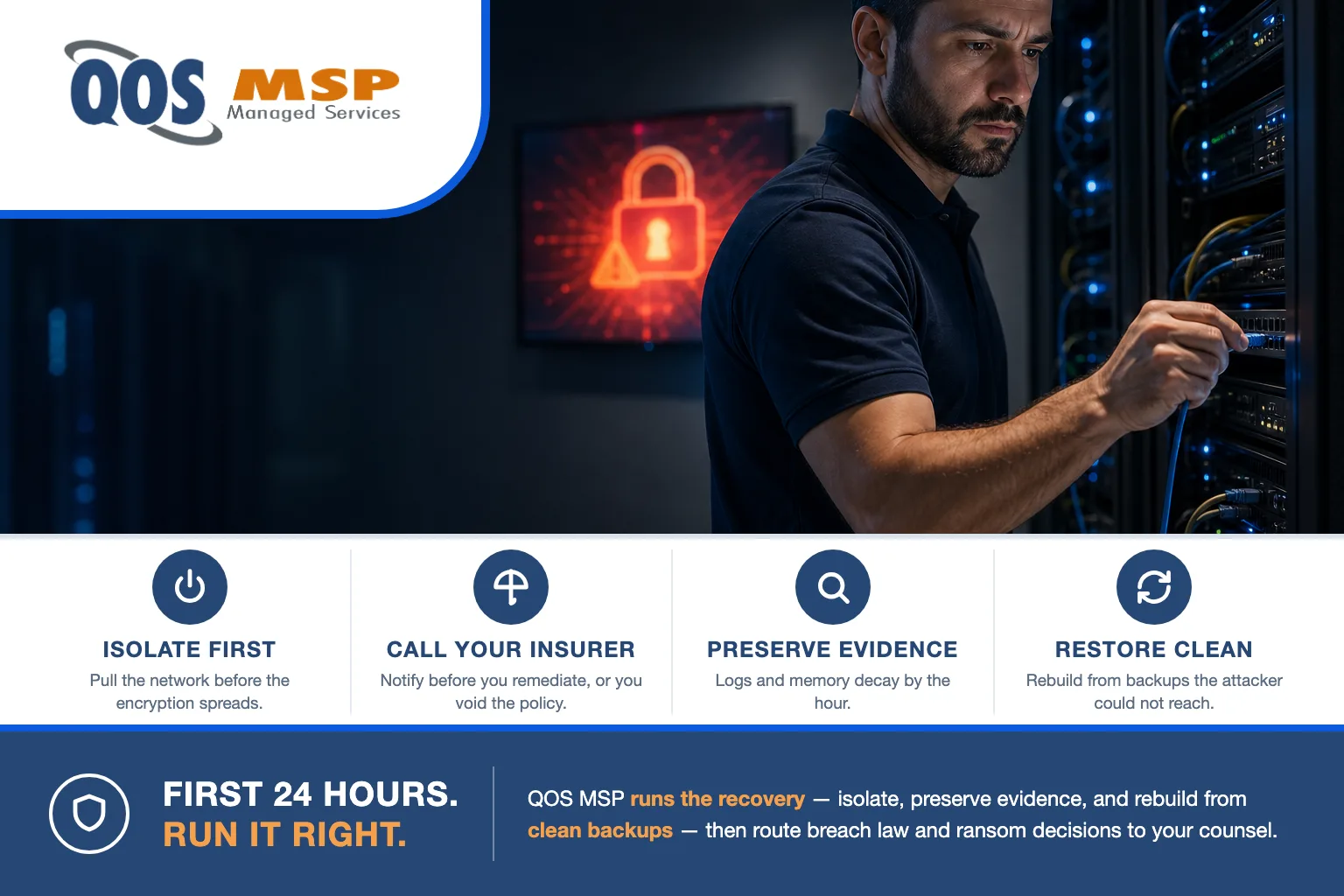
Knowing what to do after a ransomware attack comes down to one rule in the first minutes: disconnect infected machines from the network immediately — don’t power them off — then call your cyber insurer before touching anything else. Most businesses recover from backups without paying; the FBI advises against paying, and payment guarantees nothing.
Why the first 24 hours decide how bad this gets
Ransomware is not a single event — it’s a process that keeps running while you decide what to do. Three clocks start the moment you notice, and every one of them punishes hesitation.
Encryption is still spreading. As long as an infected machine stays connected, the malware keeps reaching mapped drives, file shares, and any backup target it can see. Pulling the network is the single highest-leverage thing you can do, and it’s free.
Evidence decays by the hour. Encryption keys and live attacker processes often exist only in a machine’s memory — power it off and they’re gone. Firewall, server, and endpoint logs roll over and overwrite themselves. The forensic picture you’ll need for both the insurance claim and the scope assessment is perishable.
Legal and insurance clocks are running. In Indiana, the breach-disclosure clock starts at discovery, not at the moment you finish cleaning up — you have no more than 45 days from discovery to notify affected residents and the state Attorney General if personal data was exposed. Your cyber policy, meanwhile, almost certainly has notification and vendor conditions that a well-meaning cleanup can violate. What you do in hour one shapes whether hour seventy-two is a recovery or a compounding mess.
What to do after a ransomware attack: the first 24 hours, step by step
This is the order our security-administration team actually works an incident. Do them in sequence — the early steps protect the options in the later ones.
The first 24 hours after a ransomware attack, in the order QOS MSP works them.
-
Isolate the machines — do not power them off
Pull the network cable, disable Wi-Fi, and drop VPN and remote-desktop sessions on every affected machine, but leave them powered on. Isolating stops the encryption from spreading to shares and backups, while keeping the memory-resident evidence — encryption keys and live attacker activity — that a shutdown would destroy.
-
Call your cyber insurer and get counsel engaged
Your policy almost certainly requires you to notify the carrier before you remediate and to use their approved forensic and legal vendors. Engaging a breach attorney early also brings the investigation under legal privilege. Remediating or paying on your own first can reduce or void the coverage and waive that protection.
-
Preserve the evidence
Photograph the ransom note, save a handful of sample encrypted files, and protect firewall, server, and endpoint logs before they rotate. Do not wipe, reimage, or run cleanup tools yet. The same forensic record drives your insurance claim, your scope assessment, and any legal notification decision.
-
Assess the scope
Work out what is actually encrypted, whether data was copied out before it was encrypted, and whether the attacker still has access. Modern ransomware steals data first and encrypts second, which quietly turns a recovery problem into a reportable data breach — so this answer changes who you legally have to tell.
-
Notify the right people
Brief leadership first, then report to the FBI through IC3 at ic3.gov. Reporting is voluntary, but it is how you reach decryptor resources and it strengthens your standing with the insurer. At the same time, start the regulatory-clock assessment with your attorney so no notification deadline slips.
-
Rebuild from clean backups
Confirm your backups were not encrypted or deleted, then restore in order: identity and domain controllers first, then core systems, then data. Restore into a clean environment so you do not carry the attacker’s foothold back in. Backup architecture is the whole game here — the restore section below covers how to avoid re-infecting yourself.
Should you pay the ransom?
The FBI does not support paying a ransom. Its guidance is consistent: paying encourages the next attack, funds the criminal group, and does not guarantee you get your data back. In practice, some victims pay and receive nothing, a broken decryptor, or a tool so slow that restoring from backup would have been faster anyway.
| The question leadership asks | The honest answer |
|---|---|
| Do you get a working decryptor? | Not guaranteed. Some victims pay and receive nothing, a partial key, or a tool slower than a restore. |
| Is your stolen data actually deleted? | No proof. You are trusting criminals; copies routinely resurface or get sold regardless. |
| Is it even legal to pay? | A legal question. Paying a sanctioned group can violate US Treasury (OFAC) rules regardless of intent. This goes to counsel. |
| Is paying faster than restoring? | Rarely. Decryption is slow and you still have to rebuild; verified clean backups are usually quicker. |
The OFAC angle is the one people miss, and it is not our call to make. The US Treasury has warned that facilitating a ransom payment to a sanctioned person or group can itself be a federal violation — on a strict-liability basis, meaning intent may not matter. Whether a given payment is lawful is a legal question for your breach attorney, not for your MSP. We will not advise you on sanctions exposure; we make sure counsel has that decision in front of them early.
Here’s the honest exception, because it’s real: when there are no viable backups and the downtime is existential, leadership sometimes weighs paying anyway. If you get there, what we’ve seen holds — even successful payments rarely restore everything cleanly, and the decision belongs to your executives and your lawyers together, with the risks named. Our job is to make sure paying is a choice, not the only option left.
Who do you legally have to tell?
This is your lawyer’s lane, and we’ll say that plainly: QOS MSP does not provide legal advice on breach notification. What we own is the input that makes the legal call possible — fast, accurate scope data on exactly what data was touched, whose it was, and whether it left the building. Here are the overlays your counsel will check.
| If you hold this data | You may owe notice to | Typical clock |
|---|---|---|
| Personal data of Indiana residents | Affected residents and the Indiana Attorney General | No later than 45 days from discovery (Ind. Code 24-4.9) |
| Protected health information | Individuals, HHS, sometimes the media | HIPAA Breach Notification Rule (generally within 60 days) |
| Cardholder / payment data | Your acquiring bank and the card brands | Per your merchant agreement |
| Regulated financial data | Customers and regulators (for example, FTC Safeguards) | Per the applicable rule or contract |
Notice that the Indiana clock runs from discovery — the day you found it, not the day you finished cleaning up. That’s why Step 4, scoping whether data was exfiltrated, matters so much: it decides whether you’re in a recovery or a reportable breach, and only counsel makes that determination from the facts we hand them. If you want the preventive side of this squared away first, our small business cybersecurity checklist for Indiana is a good starting point.
Restoring from backups without re-infecting yourself
Recovery is where a fast response gets thrown away by a careless restore. Two ideas keep you from handing the environment straight back to the attacker.
Don’t restore the persistence. Attackers plant backdoors, scheduled tasks, and rogue accounts before they trigger encryption. A backup taken after they got in carries all of that with it. Restore into an isolated, known-clean environment, patch it, and reset credentials before you reconnect anything — otherwise you re-infect yourself with your own backup.
“A backup exists” is not “a backup survived.” Ransomware hunts for backups first — it deletes snapshots, encrypts network backup shares, and goes after the backup server itself. The copies that come through are the ones the malware could not reach or overwrite: immutable or offline backups. This is why backup architecture, not just backup existence, is what determines your recovery — we break the distinctions down in our guide to backup vs. disaster recovery vs. business continuity.
What we do differently before day zero
Everything above is what to do after a ransomware attack has already landed. The reason our clients’ incidents stay small is that the decisions were made before the attack, not during it. An incident-ready environment looks like this: immutable, offline backups that are tested by actual restores, MFA everywhere, endpoint detection on every device, network segmentation so one machine isn’t the whole company, logging retained long enough to investigate, and a written incident-response plan that already names the insurer and the breach attorney.
Our lane is explicit. We run the recovery — the isolation, the scoping, the clean rebuild — as managed security operations, and it’s the day-to-day of our security administration service. We are not lawyers, so breach-notification thresholds and the legality of any payment we name and route to counsel, never advise on. And BCDR is included in your plan at every tier — but the redundant systems continuity runs on, like a second site or standby cloud capacity, are billed separately, because those are infrastructure you own, not something we quietly absorb.
The honest line, and the one worth planning around: if you have no backups and no cyber insurance, your options after an attack are genuinely bad. There is no clever fix anyone can sell you at hour one that substitutes for those two things. The cheapest ransomware response is the prevention that keeps you out of it — most of these incidents start with social engineering, like the fake IT-support calls on Microsoft Teams that end in ransomware.
Frequently asked questions
Should you turn off computers during a ransomware attack?
No. Disconnect the machine from the network instead — pull the cable, disable Wi-Fi, and drop VPN. Powering off wipes memory-resident evidence, like encryption keys and running attacker processes, that investigators and your insurer need to scope the incident.
Does cyber insurance cover ransomware?
Usually, but the policy sets conditions. Most require you to notify the insurer before you remediate and to use their approved forensic and legal vendors. Acting first — restoring, wiping, or paying on your own — can reduce or void the payout, so call the carrier early.
Do you have to report a ransomware attack?
In Indiana, if personal data was exposed, you must notify affected residents and the Indiana Attorney General no later than 45 days after you discover the breach. Reporting to the FBI through IC3 is voluntary but recommended. Whether you cross the reporting threshold is a legal call for your attorney.
How long does ransomware recovery take?
Days for a clean-backup restore of a small environment, and weeks when the backups were also encrypted or the scope is unclear. Double-extortion cases, where data was stolen before encryption, add legal and notification work on top of the technical recovery.
Can you get your files back without paying?
Often yes, from clean backups you have verified, and free decryptors exist for some older ransomware strains through projects like No More Ransom. Paying guarantees nothing — the FBI advises against it, and some victims pay and still receive a broken or partial decryptor.
The short version
- Disconnect, don’t shut down. Pull the network; leave the power on to preserve evidence.
- Call the cyber insurer before you remediate. Acting first can void the coverage.
- Preserve evidence and scope it. Was data stolen? That answer decides your legal obligations.
- Notification is your lawyer’s call — Indiana’s clock is 45 days from discovery.
- Don’t pay reflexively. The FBI advises against it, it guarantees nothing, and OFAC makes it a legal question.
- Restore from clean, immutable backups into a clean environment — never straight back onto the compromise.
Knowing what to do after a ransomware attack matters most in the hour you’d least like to be figuring it out. If you’d rather have the isolation, the scoping, and the clean rebuild handled by a team that runs these recoveries — with the insurer and counsel already in the plan — that’s our security administration service. Talk to us before you need it, not during.
