

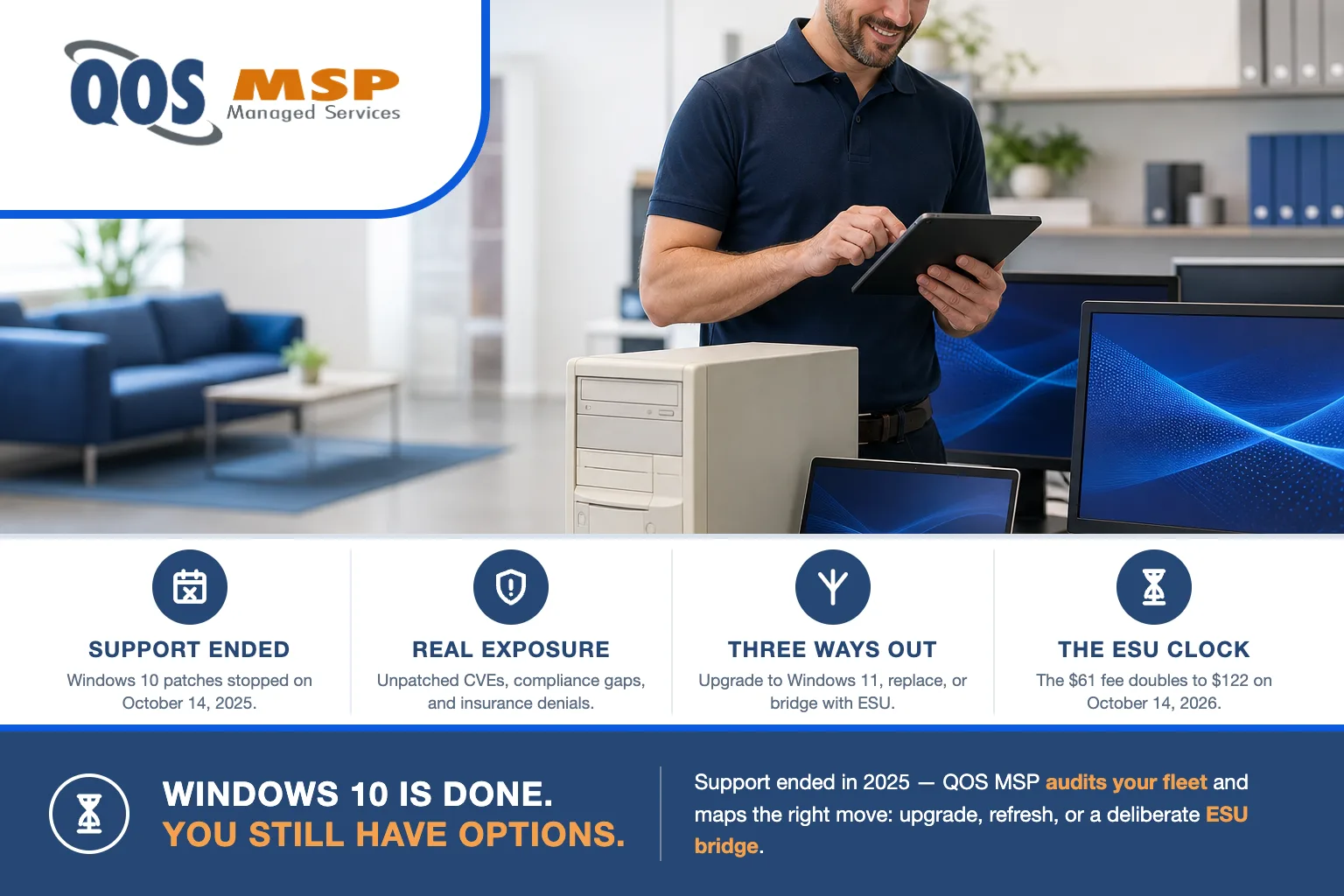
Windows 10 support ended October 14, 2025. Any business PC still running Windows 10 without Extended Security Updates is unpatched right now — and the commercial ESU price doubles from $61 to $122 per device on October 14, 2026. You have three ways out: upgrade, replace, or bridge.
What actually ended on October 14, 2025 — and what didn’t
Your computers did not stop working. A Windows 10 PC still boots, still runs your line-of-business apps, and still holds your files. Nothing about October 14, 2025 broke the machine.
What ended is Microsoft’s support: no more security patches, no more quality (bug) fixes, and no more technical help for Windows 10. From that date forward, every new vulnerability Microsoft discovers in Windows 10 stays open unless the device is enrolled in Extended Security Updates (ESU). The operating system keeps running; it just stops getting safer.
This is not a niche problem. As of July 2026, roughly 29.8% of all desktop Windows worldwide still ran Windows 10 (Statcounter). Close to a third of the installed base is still running Windows 10 on an operating system that no longer receives free security updates.
What is still running Windows 10 costing you in 2026?
The cost of doing nothing is not zero — it just doesn’t show up on an invoice. It shows up as accumulating risk, and it lands in four places.
Unpatched vulnerabilities pile up. Every Patch Tuesday since October 2025 has shipped fixes for Windows 11 that Windows 10 machines don’t get. Attackers read those bulletins too — a patched Windows 11 flaw is effectively a map to an unpatched Windows 10 one. The exposure compounds every month.
Compliance clauses assume “supported” software. HIPAA, PCI DSS, and the FTC Safeguards Rule all expect systems handling regulated data to run supported, patched software. An unsupported OS holding patient records, cardholder data, or customer financial information is a finding waiting to happen.
Cyber-insurance questionnaires ask directly. Renewal applications now ask whether you run any unsupported operating systems. Answer yes and your premium rises or coverage narrows; answer no when it isn’t true and a claim can be denied for material misrepresentation. Either way, an unsupported OS is no longer invisible to your insurer.
Vendors are dropping Windows 10. Software makers are ending Windows 10 support on their own schedules — a browser, an accounting package, or a security agent can quietly stop updating on the old OS, and the same flat, unsegmented networks that make an unpatched PC dangerous are exactly what Teams vishing and ransomware crews are built to exploit.
Doesn’t the $30 ESU fix this?
No — not for a business. In June 2026 Microsoft extended the consumer ESU program to October 12, 2027 and kept it cheap: $30 one time, or free if you sync your settings with a Microsoft account or redeem 1,000 Microsoft Rewards points. That is a real lifeline — for a home PC.
The catch is in the fine print: domain-joined or MDM-managed devices are ineligible for consumer ESU. Almost every business computer is one or the other, so the $30 route is closed to you. Businesses use commercial ESU instead, and the economics are very different.
| Consumer ESU | Commercial (business) ESU | |
|---|---|---|
| Price | $30 one time (or free via settings sync / 1,000 Rewards points) | $61/device Year 1, $122 Year 2, $244 Year 3 |
| Covers through | October 12, 2027 | October 2028 (3 years max) |
| Domain-joined / MDM-managed PCs | Not eligible | The required path for business |
| Cumulative if you join late? | No | Yes — enroll in Year 2 and you also owe Year 1 |
| Requires | Windows 10 22H2 | Windows 10 22H2 |
| What you get | Security updates only | Security updates only — no features, no support |
Two numbers matter most. Commercial ESU is cumulative: enroll in Year 2 and you pay Year 1 as a back-charge too ($122 + $61 = $183 per device). And it is a minimum of one license, requires Windows 10 22H2, and delivers security patches only — no new features and no Microsoft support. These are Microsoft’s licensing prices, not a QOS device rate.
Your three options, compared
Every Windows 10 machine in your fleet resolves to one of three moves. The right one depends on the hardware, not on a blanket policy.
| Option | Cost | Best when |
|---|---|---|
| Upgrade to Windows 11 (in place) | Free — needs TPM 2.0, Secure Boot, a supported CPU, and Windows 10 22H2 | The PC passes the Windows 11 check — most business machines bought in 2019 or later |
| Replace the hardware | New-PC purchase (your cost) | The PC fails the Windows 11 check and can’t be remediated |
| Commercial ESU bridge | $61 → $122 → $244 per device/year, cumulative | A specific machine must stay on Windows 10 for a legacy app while you plan the refresh |
| Free ESU carve-out | $0 | Windows 10 runs as a VM in Windows 365, Azure Virtual Desktop, or Azure VMs — or the endpoint has an active Windows 365 subscription (up to 3 years) |
In practice most fleets are a mix: the majority of machines upgrade to Windows 11 for free, a handful of older towers get replaced, and one or two that run a pinned legacy application get an ESU license as a deliberate bridge. The mistake is treating the whole fleet as one decision.
Why the ESU clock makes this a Q3 decision, not a someday decision
The reason not to sit on this is arithmetic. Commercial ESU Year 2 begins October 14, 2026 — about ten weeks out. On that date the per-device price doubles from $61 to $122, and because the program is cumulative, any device you enroll after it becomes a $183 machine (Year 1 plus Year 2), not a $122 one.
So the window where “$61 buys another year” is true is closing this quarter. That doesn’t mean panic-buying ESU for everything — for most machines the right answer is a free Windows 11 upgrade. It means the decision has a deadline even though the machines keep running. Deciding in October costs meaningfully more than deciding in August.
What we handle — and what stays yours
QOS MSP has run managed IT since 2007 and supports more than 75,000 users across our customers, so a fleet-wide OS transition is familiar ground. Let us be precise about the boundary, because it keeps the budget honest.
What we do: a fleet eligibility audit that sorts every machine into upgrade, replace, or bridge; the migration and refresh planning and execution; and ESU enrollment on the specific devices where a bridge is genuinely the right call. Keeping the whole estate patched and monitored afterward is the ongoing job of your security administration, and moving mail and files off aging desktops is often the moment to get onto managed Microsoft 365 properly.
What stays yours: the hardware. New PCs and any ESU licenses are your purchase at Microsoft’s and the manufacturer’s prices — we plan, procure, and deploy them, but we don’t mark up or absorb hardware and licensing. If you want to pressure-test your own readiness first, our small business cybersecurity checklist covers the fundamentals an OS refresh should lock in.
When you don’t need to panic
Being honest about this cuts both ways. A machine still running Windows 10 is not automatically a crisis:
- An ESU-enrolled PC running a legacy application that only works on Windows 10 is a legitimate bridge, not a failure. You’re paying Microsoft to keep it patched while you plan the replacement — that is the program working as intended.
- A truly offline or air-gapped machine — a shop-floor controller with no network path — carries a very different risk profile. The internet-facing exposure that drives the urgency isn’t there.
- A PC that’s already scheduled for a Windows 11 upgrade in the next few weeks doesn’t need an ESU license to cover the gap.
The mistake isn’t bridging — a deliberate, patched, time-boxed bridge is fine. The mistake is drifting: leaving unpatched, unmanaged Windows 10 machines on a live network with no plan and no enrollment, and calling it “we’ll get to it.” That is the state that fails an audit and voids a claim.
Frequently asked questions
Will my Windows 10 computer stop working now that support has ended?
No. Your Windows 10 PC keeps running and your files and applications are untouched. What stopped on October 14, 2025 is security patches, bug fixes, and Microsoft support. The machine simply receives no new protection unless you enroll it in Extended Security Updates.
How much does Windows 10 ESU cost for a business?
Commercial ESU runs $61 per device for year one, doubling to $122 in year two and $244 in year three, for a maximum of three years. It is cumulative, so a business that enrolls late still pays the earlier years. The $30 consumer option is not available for domain-joined or MDM-managed business devices.
Can I still upgrade to Windows 11 for free?
Yes, on eligible hardware. The PC needs TPM 2.0, Secure Boot, a supported CPU, and Windows 10 version 22H2. Most business PCs bought in 2019 or later qualify, and if a machine passes the check the Windows 11 upgrade costs nothing.
Is running Windows 10 a compliance violation?
Running an unsupported operating system conflicts with the supported-and-patched software expectations in HIPAA, PCI DSS, and the FTC Safeguards Rule, and with many cyber-insurance policy terms. Enrolling the device in ESU keeps it receiving security updates, which is what those requirements actually care about.
What if my PC cannot run Windows 11?
You have two choices: replace it with hardware that meets the Windows 11 requirements, or enroll it in commercial ESU as a short bridge while you plan the refresh. ESU buys time on a machine that must stay on Windows 10 for a legacy application, but it is a bridge, not a destination.
Not sure how many of your machines are still running Windows 10 — or which move each one needs? We’ll audit the fleet, sort every PC into upgrade, replace, or bridge, and give you the number before the October price change lands. Get in touch.
