

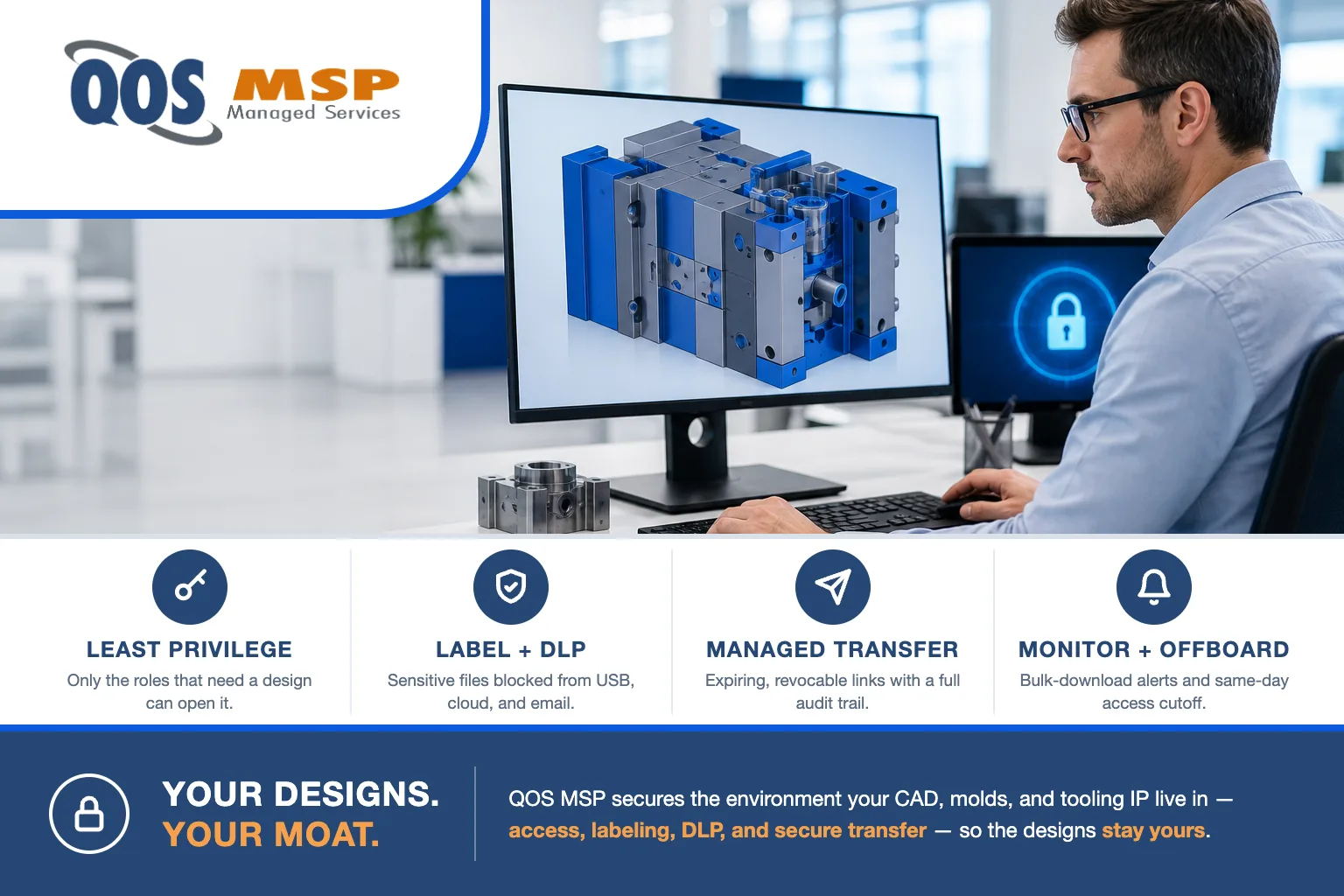
Learning how to protect CAD files, molds, and engineering IP starts with an uncomfortable fact: most stolen designs leave through ordinary channels — a departing engineer’s USB drive, an emailed STEP file, a supplier’s forgotten shared folder — not a dramatic hack. Five controls stop it: least-privilege access, sensitivity labeling with DLP, managed file transfer, monitoring, and disciplined offboarding.
How do engineering designs actually get stolen?
Ask a manufacturer how they picture design theft and you’ll usually hear something cinematic — an outside attacker breaching the network at 2 a.m. That happens, but it’s the exception. In the shops we support, engineering IP walks out through the same five channels almost every time, and every one of them is a routine business process working exactly as designed.
The departing employee — who copies before they give notice. This is the big one. The dangerous window isn’t the two weeks after someone resigns; it’s the weeks before, when a design engineer who already has a new job quietly copies the CAD library, the tooling drawings, and the CAM programs to a personal drive. By the time you’re revoking their badge, the files are long gone. Courts protect trade secrets only when you took reasonable measures to keep them secret — so “we trusted him” is not just a security failure, it’s a legal one.
Vendor and supplier access that never gets turned off. You share a mold design with a tooling shop, a fixture with a machining vendor, an assembly with a contract manufacturer. Each hand-off is legitimate. The problem is that the access outlives the project — the shared folder stays live, the login still works, and two years later a file you forgot you shared is sitting on a system you don’t control.
Email and consumer-cloud sprawl. An engineer emails a 40 MB STEP file to a supplier, or drops it in a personal Dropbox because “it was easier.” Now your design exists as an attachment in two inboxes and a consumer account you have no visibility into, no ability to revoke, and no record of who forwarded it where.
Unmanaged file transfer. Files that move by whatever method is handy — USB sticks passed on the shop floor, a home FTP server someone stood up years ago, WeTransfer links with no expiry. Convenient, invisible, and completely unaccountable.
Overseas partner exchange. The moment your designs cross a border to a manufacturing or tooling partner, you’ve added distance, a different legal system, and a harder enforcement path to every risk above. The design left on a legitimate transfer; getting it back — or proving it was misused — is another matter entirely.
Notice what these have in common: none of them are hacks. They’re normal work. That’s exactly why protecting engineering IP is a matter of controlling access and movement, not just buying a firewall.
How to protect CAD files starts with least privilege
Before any fancy tooling, the first move in how to protect CAD files is to answer one question honestly: who in your company can open your most valuable design right now? In most shops the real answer is “almost everyone,” because the CAD library lives on a shared drive that the whole team — plus a few people who left, plus a service account nobody remembers — can read.
Least privilege flips the default. Instead of “everyone can see everything unless we lock it down,” access starts at nothing and is granted by role and by project. A machinist gets the programs for the jobs they’re running, not the entire tooling archive. A sales engineer gets the customer-facing model, not the source geometry. When a project ends, that access ends with it.
This is identity and access work, and it’s exactly what we administer: tightening group membership, killing standing access to design repositories, replacing the flat “Engineering” share with role- and project-scoped permissions, and putting multi-factor authentication in front of the systems that hold your IP. It’s unglamorous, and it removes more risk per dollar than anything else on this list — because it shrinks the number of people who could ever leak a file in the first place.
Make the files defend themselves: sensitivity labels and DLP
Access control decides who can open a file. Data loss prevention (DLP) decides what happens when someone tries to move it somewhere it shouldn’t go. The two work together, and this is the layer that follows the file after it leaves the folder.
It starts with sensitivity labeling — tagging designs by how damaging their loss would be, so the system can tell a public spec sheet from a proprietary mold design. Once files are labeled, DLP enforces rules on the sensitive ones: block a CONFIDENTIAL CAD file from being copied to a USB drive, from being uploaded to a personal cloud account, or from being attached to an outbound email to a non-approved domain. The design that a departing engineer tries to slip onto a thumb drive simply doesn’t copy — and you get an alert that they tried.
The honest trade-off: DLP is not a switch you flip. Tuned too tight on day one, it blocks legitimate work — the supplier hand-off that’s supposed to happen — and engineers route around it, which is worse than not having it. It takes a few weeks of watching what your team actually does, in report-only mode first, before you start enforcing. Anyone who tells you DLP is plug-and-play hasn’t run it. Done right, it’s the control that turns “we hope people follow the rules” into “the rules are enforced by the system.”
Secure managed file transfer vs. email and consumer cloud
You have to share designs to do business — with tooling shops, contract manufacturers, and customers. The question is how. Emailing a STEP file and dropping a link in consumer Dropbox both feel free and easy, and both give away control the instant the file leaves. Managed file transfer is a purpose-built system for sending sensitive files: expiring links, per-recipient access, view-only options, and a full record of who did what.
| Can you… | Email attachment | Consumer cloud link | Managed file transfer |
|---|---|---|---|
| Revoke access after sending? | No — it’s in their inbox forever | Rarely, and not per-person | Yes — cut access anytime |
| See who opened or downloaded it? | No audit trail | Limited or none | Full audit log per recipient |
| Set an expiry date? | No | Sometimes | Yes — auto-expires |
| Share view-only (no download)? | No | No | Yes — view without a local copy |
| Handle large CAD/assembly files? | No — bounces on size | Yes, but uncontrolled | Yes, with the controls above |
The difference that matters most is revocation. Once a design is an email attachment, it is gone — you cannot un-send it, and you have no idea where it’s been forwarded. With managed transfer, a link you shared with a supplier last quarter can be cut off the day the project ends or the relationship sours. That single capability closes the “forgotten shared folder” leak path entirely.
Sharing designs with overseas partners without losing them
Sending a mold or tooling design to an overseas manufacturing partner is where every risk on this page gets sharper. The fix is to share the least you can, in the most controlled way you can: view-only packages where the partner can see the geometry they need without pulling a local copy, links that expire and can be revoked when the engagement ends, and an audit log that records every access so you know exactly what was opened and when.
Contracts are necessary but not sufficient. An NDA and a well-drafted IP clause are essential — but a contract is a promise, not a control. It gives you a claim after a design is misused; it does nothing to stop the copy from happening. Pair the legal protection with the technical one: the contract governs the relationship, and view-only, expiring, logged access governs the file. Manufacturers who rely on the contract alone are the ones who discover, too late, that they gave away the exact thing they were trying to protect.
One routing note: if your designs are defense-related or export-controlled (ITAR/EAR), that carries specific legal obligations beyond anything covered here — talk to qualified export-control counsel, and we’ll build the access and transfer controls to support whatever compliance posture they specify.
The two moments that matter most: monitoring and offboarding
Every control in how to protect CAD files is a wall. Monitoring is the alarm on the wall, and offboarding is locking the door when someone leaves. These are the two moments where design theft is actually won or lost.
Monitoring catches the pattern before the payload. One engineer downloading one part file is normal. That same account pulling the entire CAD library at 11 p.m. on a Sunday is not. Bulk-download alerts — flagging when someone touches far more than their job requires — are how you catch a departing employee scraping the archive while there’s still time to act. Without monitoring, you find out at the deposition.
Offboarding has to be same-day, and it has to be complete. The moment someone leaves, every path to your designs closes at once: their login, their VPN, their access to file shares and the PLM system, any personal devices enrolled, and the app passwords and tokens people forget exist. A partial offboarding — badge revoked, cloud access still live — is how ex-employees keep pulling files for months. This is a checklist executed the same day, not a task that drifts to “sometime next week.”
Frequently asked questions
Can you stop a departing employee from taking CAD files?
You can make it very hard and very visible. Data loss prevention blocks CAD files from copying to USB drives or personal cloud, bulk-download alerts flag someone scraping the design library before they leave, and same-day offboarding cuts every access path at once. It matters legally too: courts protect trade secrets only when you took reasonable measures to keep them secret, so these controls are also your evidence that you did.
Is email safe for sending CAD files to a supplier?
No. Once a design is an email attachment it is in the recipient’s inbox permanently — you cannot revoke it, set it to expire, or see where it was forwarded, and large assembly files often bounce on size anyway. Use managed file transfer with expiring, revocable links and a per-recipient audit trail instead.
Is a password-protected CAD file enough to protect it?
No. A password controls opening one copy of the file, but once it is open the design can be copied, forwarded, or saved anywhere with no further control. Real protection uses sensitivity labeling and rights management that stay attached to the file, plus data loss prevention that governs how it can move, so protection follows the design rather than stopping at a single password prompt.
Does owning the mold contractually protect the design files?
Only partly. A contract can establish that you own the tooling and the intellectual property, which gives you a legal claim if a design is misused. It does nothing to physically stop a file from being copied. You need both: the contract to govern the relationship, and technical controls — least-privilege access, DLP, and view-only revocable transfer — to control the file itself.
What is DLP, and does a small manufacturer need it?
DLP, or data loss prevention, is software that blocks sensitive files from leaving through risky channels — copying to a USB drive, uploading to personal cloud, or emailing to an unapproved address — and alerts you when someone tries. A small manufacturer needs it once its designs are the core of the business’s value, which for most shops is the day the CAD library and tooling drawings became the thing competitors would most like to have.
How an MSP locks this down — and what stays yours
Here’s the clean division of labor, because it’s the part manufacturers most often get sold wrong. QOS MSP secures and administers the environment your designs live in — identity and least-privilege access, sensitivity labeling and DLP, managed file transfer, and the monitoring and offboarding that catch and close the leak paths. That’s the day-to-day of our security administration service, and if you want to know where your gaps are before you spend a dollar closing them, a cyber risk assessment maps them against exactly these controls.
What stays yours: your CAD, CAM, and PLM software and the designs inside them. We don’t build, own, or replace your engineering tools — we put the access, movement, and monitoring controls around them so the IP they hold doesn’t walk out the door. Your designs are your business; our job is making sure they stay your business.
And the honest “when you don’t need us” line: if you’re a two-person shop where the owners are the only people who ever touch the designs, and nothing leaves the building, most of this is overkill — a good backup and MFA on your email will carry you a long way. The controls here start earning their keep the moment you have employees who could leave, suppliers who need files, and designs that a competitor would pay for. If your shop floor also runs networked machines and controllers, the same segmentation thinking applies there — we cover it in IT/OT network segmentation for manufacturers, and the broader baseline lives in our small business cybersecurity checklist.
Figuring out how to protect CAD files and tooling designs isn’t about buying one product — it’s about closing the five ordinary channels they leave through. If you’d rather have that handled by a team that does it every day, talk to us.
